
Ship runs scheduled work as part of the API. A cron job is one file that pairs a cron expression with a handler, defined with the scheduler({ cron, handler }) factory and auto-discovered from any resource’s crons/ folder — so a plugin adds scheduled work exactly the way it adds an endpoint.

Define a cron job

// apps/api/src/resources/invite-tokens/crons/cleanup-expired.ts
import scheduler from '@/scheduler';
import db from '@/db';

export default scheduler({
  cron: '0 * * * *', // every hour, on the hour
  handler: async () => {
    await db.inviteTokens.deleteMany({ where: { expiresAt: { lte: new Date() } } });
  },
});
The schedule and the work live together — no separate cron registry, no event names to keep in sync. The handler runs in the API context, so it has full access to @/db, services, and everything else.

Where cron files live

Cron files are owned by the resource they belong to:
resources/invite-tokens/
  invite-tokens.schema.ts
  endpoints/
  crons/
    cleanup-expired.ts      # ← auto-registered
Every **/crons/*.ts default export is collected when the scheduler process starts and registered with node-schedule — the same filesystem-driven wiring as endpoints. There is no central list to edit.

Add a cron from a plugin

Because discovery is by file path, a plugin just ships a crons/ file in one of its resources:
// plugins/billing/api/resources/subscriptions/crons/sync-invoices.ts
import scheduler from '@/scheduler';
import { syncInvoices } from '../methods/sync-invoices';

export default scheduler({
  cron: '*/15 * * * *', // every 15 minutes
  handler: syncInvoices,
});
When the plugin merges into a project, its cron files are picked up automatically — no scheduler wiring to touch.

Run the scheduler

pnpm --filter api schedule       # production
pnpm --filter api schedule-dev   # local, watch mode
pnpm start runs the scheduler alongside the API and web app. In production it runs as its own process from the API image (apps/api/Dockerfile.scheduler), started after the Migrator so it always works against an up-to-date schema — see deployment.

Cron format

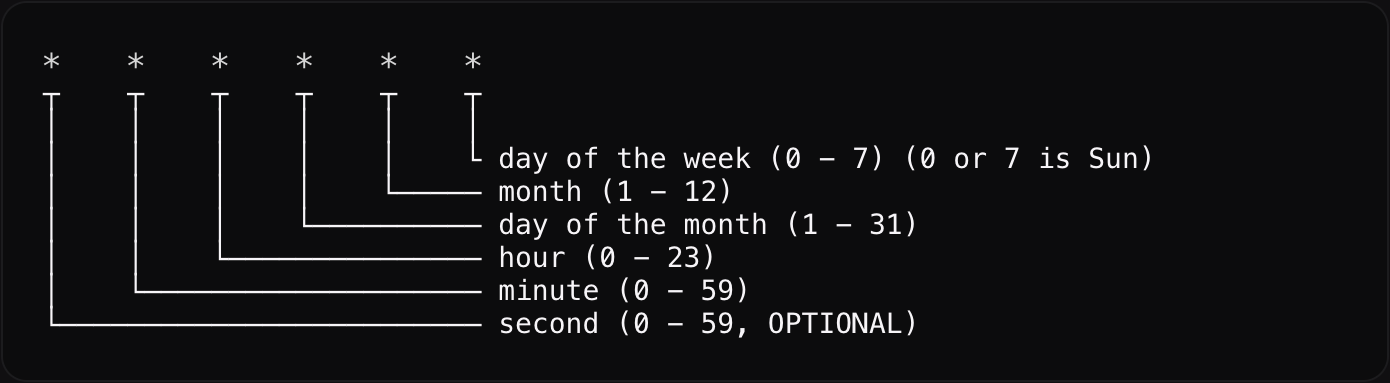
The cron field is a standard five-field cron expression: Cron format
ExpressionRuns
* * * * *every minute
*/15 * * * *every 15 minutes
0 * * * *every hour
0 0 * * *every day at midnight
0 9 * * 1every Monday at 09:00
Keep handlers idempotent and quick, and always let errors surface to the logger. For long or heavy work, have the cron enqueue it or emit a mutation event and do the work elsewhere.