> ## Documentation Index
> Fetch the complete documentation index at: https://ship.paralect.com/docs/llms.txt
> Use this file to discover all available pages before exploring further.
# Migrator
> Schema changes become versioned SQL migrations with Drizzle. Generate, review, apply — one obvious flow, deployed before the API.
Your schema is the source of truth. You edit a Drizzle `pgTable`, Ship turns the diff into a versioned SQL migration, and the migrator applies it before anything else ships. No hand-written DDL, no drift between your types and your database.
Migrations are powered by [drizzle-kit](https://orm.drizzle.team/kit-docs/overview) and applied by a small standalone script (`apps/api/scripts/migrate.ts`) that runs as its own service — so a long-running migration never blocks the API.
## The flow
Change the Drizzle table in `resources//.schema.ts`.
`pnpm --filter api generate` diffs your schema against the last snapshot and writes a timestamped migration into `apps/api/drizzle/`.
Read the generated `.sql`. It's plain SQL — commit it like any other code.
`pnpm --filter api migrate` runs every pending migration in order.
```mermaid theme={null}
flowchart LR
S["*.schema.ts
(Drizzle pgTable)"] -- "generate" --> SQL["drizzle/<ts>_name/
migration.sql"]
SQL -- "migrate" --> DB[(PostgreSQL)]
```
## Configuration
drizzle-kit reads `apps/api/drizzle.config.ts`. It picks up every schema file by glob and writes migrations to `./drizzle`:
```ts apps/api/drizzle.config.ts theme={null}
import { defineConfig } from 'drizzle-kit';
import process from 'node:process';
export default defineConfig({
dialect: 'postgresql',
casing: 'snake_case',
schema: './src/resources/*/*.schema.ts',
out: './drizzle',
dbCredentials: {
url: process.env.DATABASE_URL!,
},
});
```
Because the glob is `resources/*/*.schema.ts`, any new resource schema is picked up automatically — there's no central registry to update.
## Example: add a column
Say you want a `lastRequestAt` timestamp on `users`. Add the column to the table:
```ts apps/api/src/resources/users/users.schema.ts theme={null}
export const users = pgTable('users', {
...baseColumns,
fullName: text('full_name').notNull(),
email: text('email').notNull().unique(),
isAdmin: boolean('is_admin').default(false).notNull(),
lastRequestAt: timestamp('last_request_at', { withTimezone: true }),
});
```
Generate the migration:
```bash theme={null}
pnpm --filter api generate
```
drizzle-kit writes a new folder under `apps/api/drizzle/`, e.g. `20260526112053_fancy_magneto/`, containing:
* `migration.sql` — the DDL to apply
* `snapshot.json` — the schema state used to diff the next migration
```sql apps/api/drizzle/20260526112053_fancy_magneto/migration.sql theme={null}
ALTER TABLE "users" ADD COLUMN "last_request_at" timestamp with time zone;
```
Apply it:
```bash theme={null}
pnpm --filter api migrate
```
Every table extends `baseColumns` (`id`, `createdAt`, `updatedAt`, `deletedAt`). Soft deletes are a `deletedAt` timestamp, not a `DELETE` — so most "remove a row" changes need no migration at all.
## How `migrate` works
`pnpm --filter api migrate` runs `scripts/migrate.ts`, which hands the `drizzle/` folder to drizzle-orm's migrator. drizzle tracks which migrations have already run in its own table, so applying twice is a no-op:
```ts apps/api/scripts/migrate.ts theme={null}
import { migrate } from 'drizzle-orm/postgres-js/migrator';
import process from 'node:process';
import { rawDb as db } from '../src/db';
await migrate(db, { migrationsFolder: './drizzle' });
process.exit(0);
```
## Commands
| Command | What it does |
| ---------------------------- | -------------------------------------------------------------- |
| `pnpm --filter api generate` | Diff the schema, write SQL into `apps/api/drizzle/` |
| `pnpm --filter api migrate` | Apply all pending migrations (via `scripts/migrate.ts`) |
| `pnpm --filter api db:push` | Push the schema straight to the DB — **dev only**, no SQL file |
`db:push` skips the migration history. It's great for fast local iteration, but never use it against staging or production — `generate` + `migrate` is the deployable path.
These scripts only exist once you have a database. They're guarded on `drizzle.config.ts`; without it they print "Install postgres plugin first".
## Browse your data
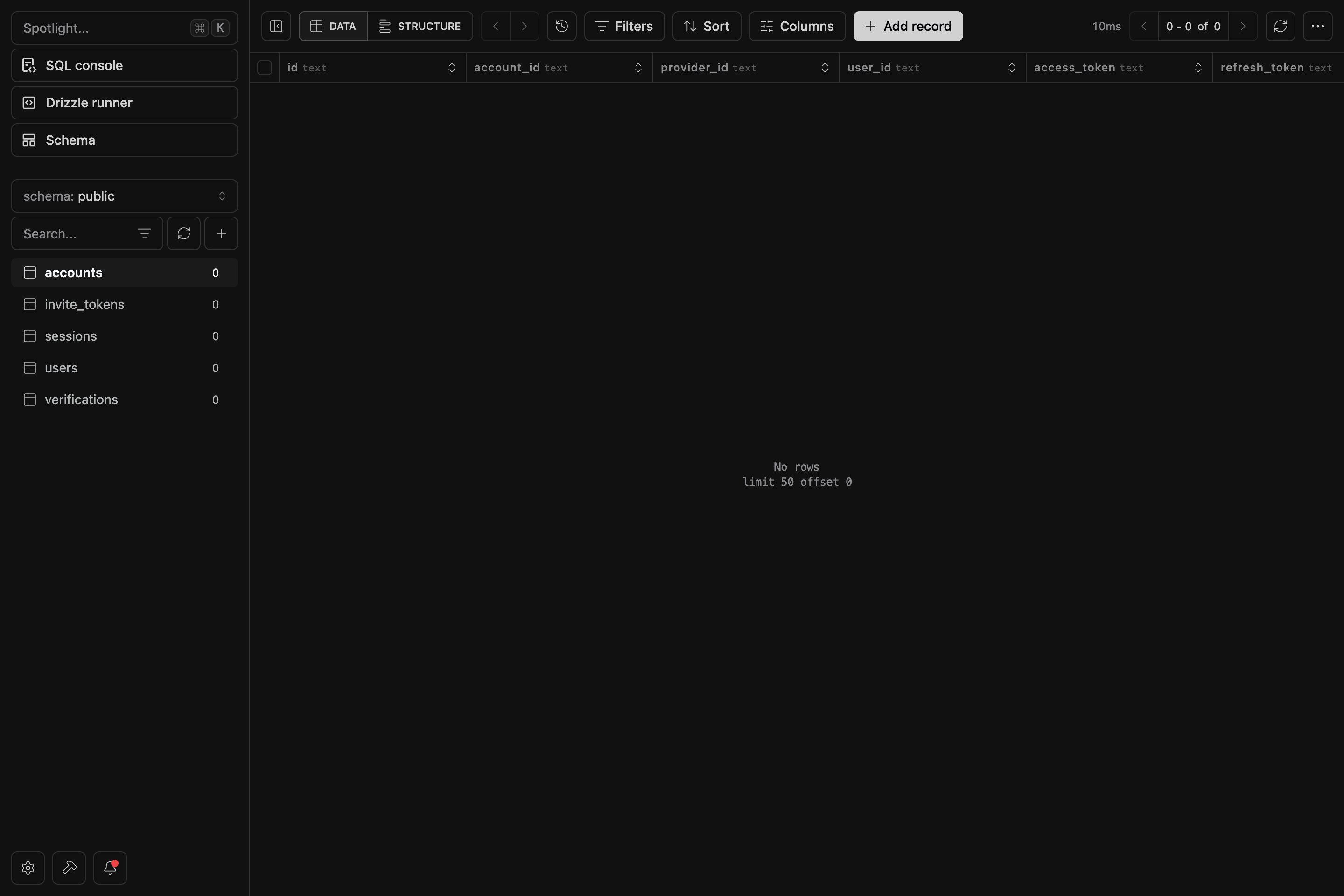
Run `pnpm dashboard` to open [Drizzle Studio](https://orm.drizzle.team/drizzle-studio/overview) at [https://local.drizzle.studio](https://local.drizzle.studio) — a live browser for your tables, rows and relations, backed by the same schema your migrations build.
 ## How it deploys
The migrator ships as a standalone service with its own `Dockerfile.migrator`, and runs **before** the [API](/docs/api-reference/overview) and [Scheduler](/docs/scheduler). Its production command is `pnpm --filter api migrate`. If a migration fails, the rollout stops there — the API and Scheduler are never started against a schema they don't expect, so they always run against an up-to-date database.
See the [Deployment](/docs/deployment/digital-ocean-apps) guides for wiring the migrator into your target.
## How it deploys
The migrator ships as a standalone service with its own `Dockerfile.migrator`, and runs **before** the [API](/docs/api-reference/overview) and [Scheduler](/docs/scheduler). Its production command is `pnpm --filter api migrate`. If a migration fails, the rollout stops there — the API and Scheduler are never started against a schema they don't expect, so they always run against an up-to-date database.
See the [Deployment](/docs/deployment/digital-ocean-apps) guides for wiring the migrator into your target.